
Sometimes it is needed to clear the Virtway Events application cache memory so that all the graphic resources of the stages are reloaded, and, thus, solve any errors produced while loading the 3D elements. To do so, the following steps must be taken:
1) Open the Virtway Events application, go to the scene list, and then, select the "Settings" button.
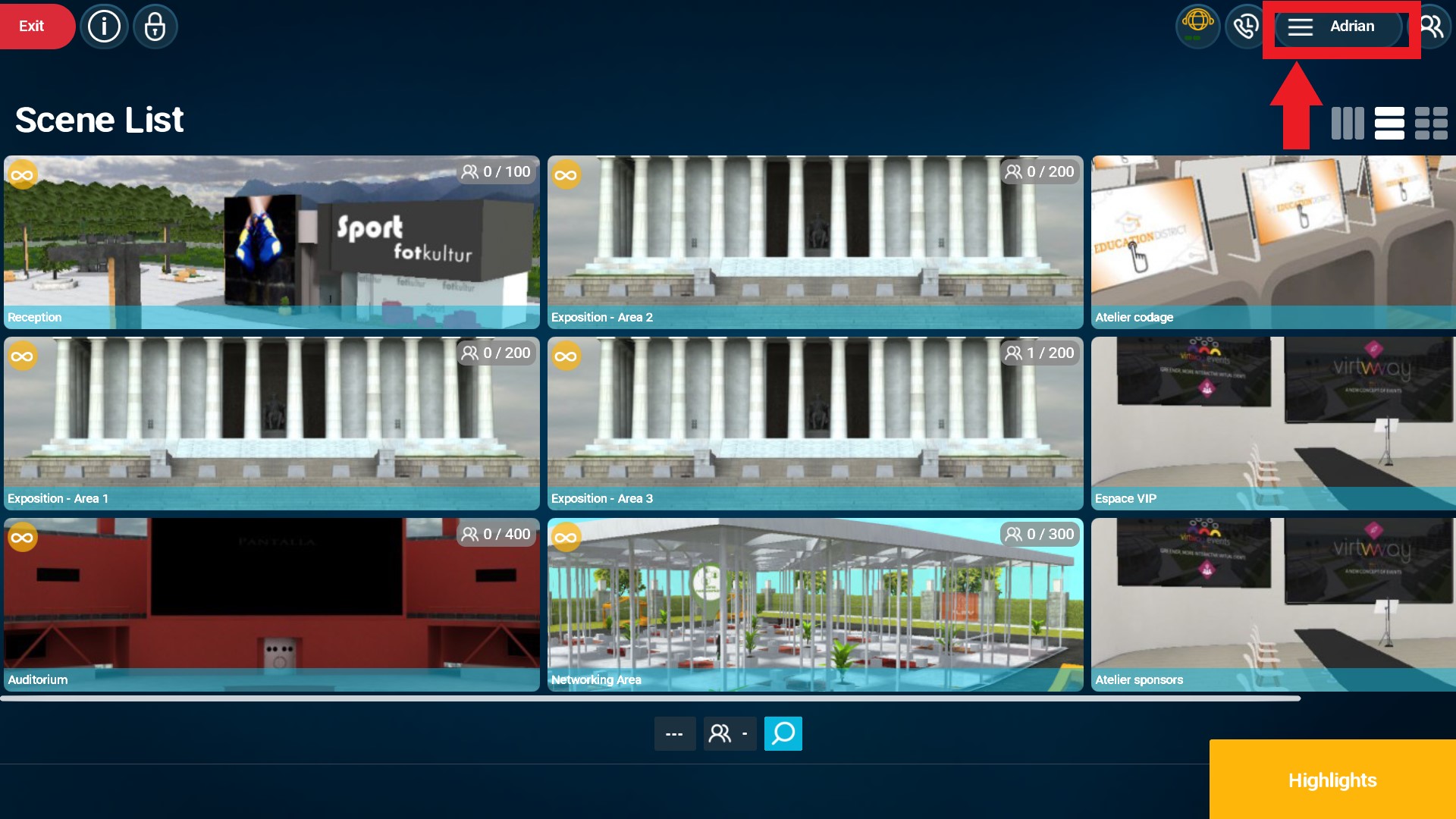
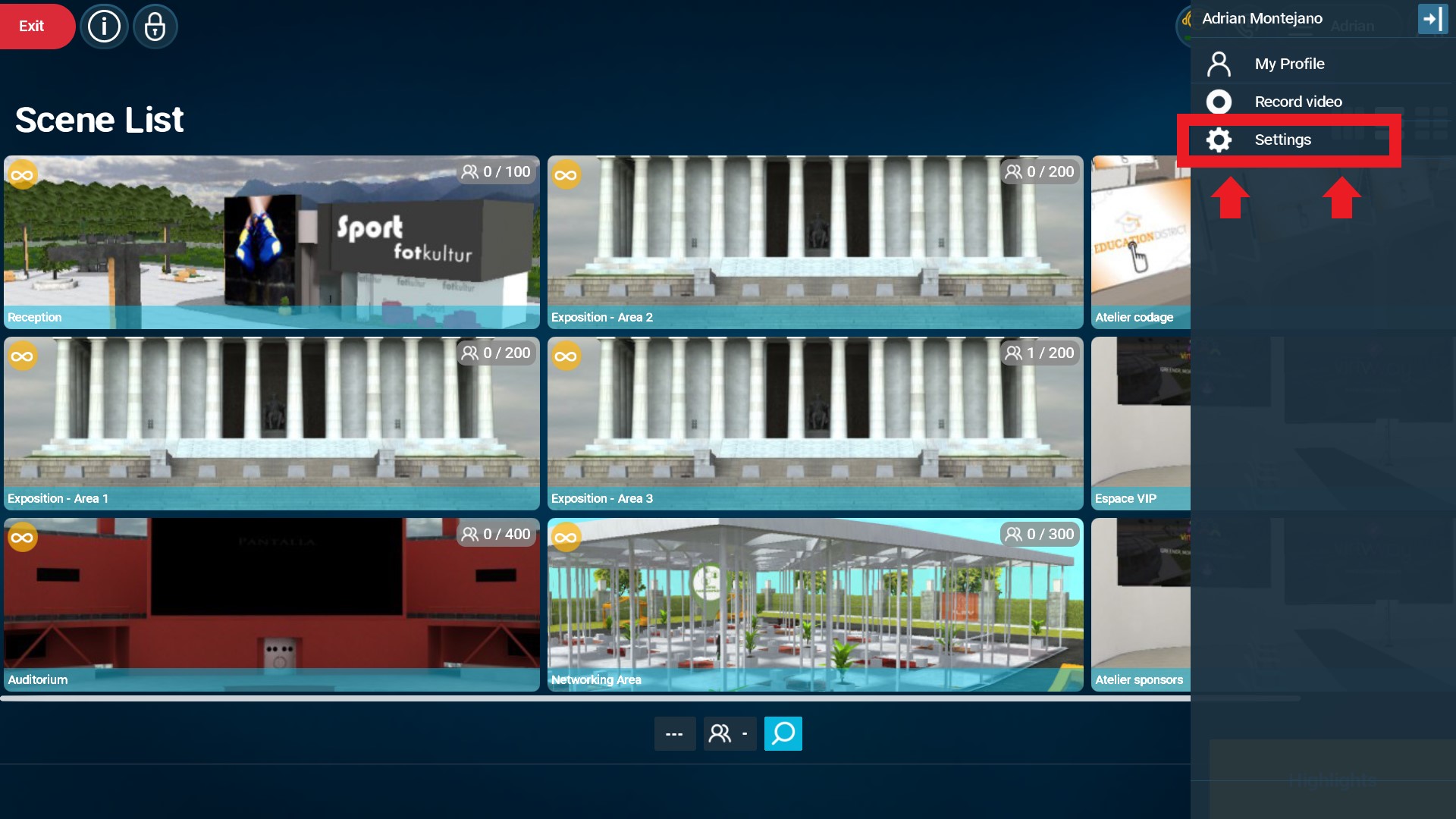
Position of the settings button in the main scene list menu.
2) In the "Settings" window, click on the "Clear Cache" option in the "Downloads" sub-menu.
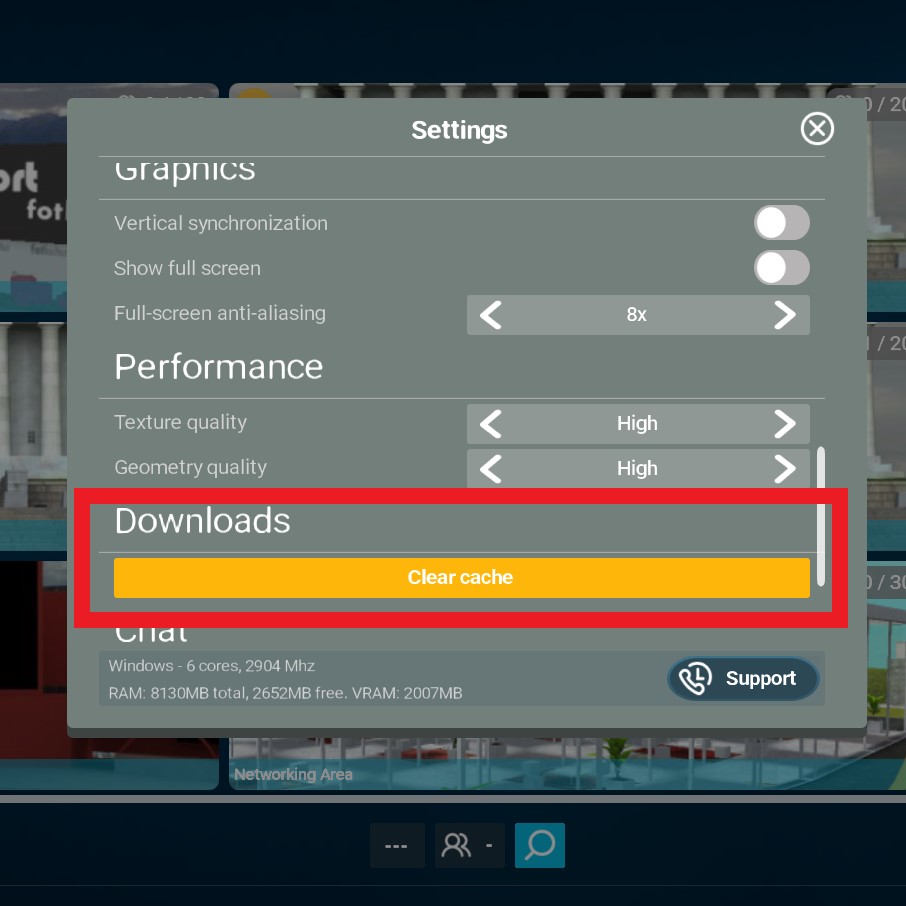
Cache clear option in the settings menu.
3) The process may take a few minutes, depending on the amount of cache memory being deleted.