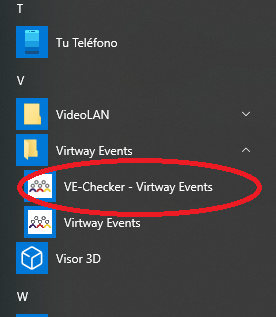
The VE-CHECKER is a program that is directly set up when you install the Virtway Events application. Its function is to carry out basic network checks and graphic elements of your computer.
The program analyzes several categories:
- Audio capabilities: It checks the correct operation of your computer's sound output and input.
- Web server: Resources and network connection are checked.

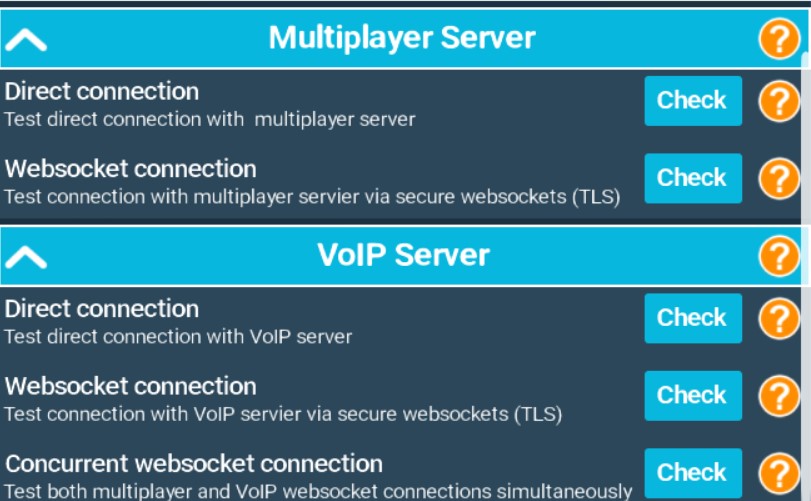
- Multi-player server: The connection between the direct server and the TLS is tested.
- Voice server: It tests the connection between the direct server and the TLS as well as the simultaneous connection from the multi-player server.
VERIFICATION PROCESS:
If you select "Check everything", it carries out a full check of the connections to the servers and the multimedia capabilities of your Internet connection.

Once this has been done, all the analysed fields will appear. The next step is to report to your event organizer or the Virtway Events team any errors that have appeared. To do this, select "Send report":

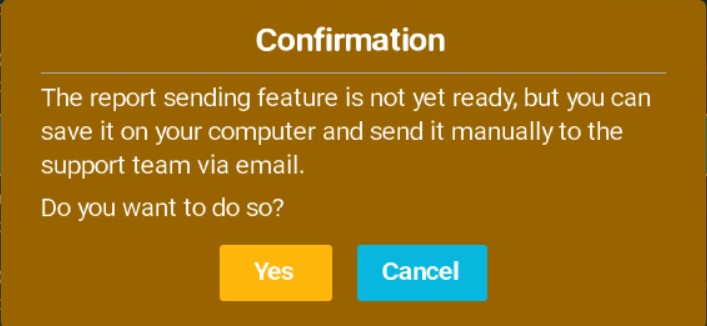
You will be shown a warning that, if we want to save it and send it via e-mail, you will have to accept it, save the file in the required location, and then, send it to your partner or to the Virtway Events contact person.