If after installation the message "Plugin not installed" continues to appear on the launch page, these are the possible solutions you can take:
- Is the browser asking for permission to run an activeX control?
If so, you must allow the execution of that control in order to open the Virtway Events platform.
Close all the browser windows and open it again to execute the application.
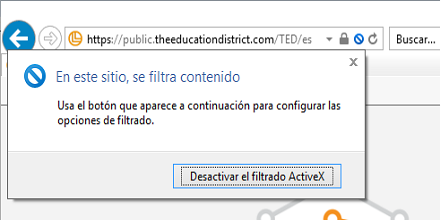
- Is the browser filtering the activeX as shown in the image?
This is indicated by a blue icon on the right side of the address bar. By clicking on it, a window is displayed in order to deactivate the activeX filtering for the current page.